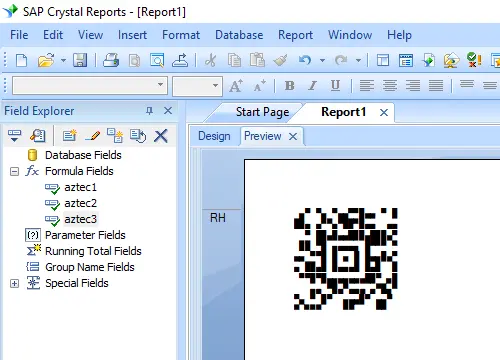
Keywords: Aztec-code, ISO/IEC 24778:2008

Professional Aztec Code Software Solutions

Looking to generate high-quality 2D barcodes? Barcodesoft Aztec Code software is the definitive answer for developers and businesses needing reliable ISO-compliant symbology.

What is Aztec Code?

Aztec-Code is a high-capacity 2D matrix barcode symbology capable of encoding both ASCII and extended ASCII characters. Defined by the ISO/IEC 24778:2008 standard, it is widely recognized for its "maelstrom" appearance, created by a unique centered finder pattern and module placement algorithm.

Technical Specifications

  • Size Range: 15x15 to 151x151 modules
  • Max Capacity: Up to 3,000 characters or 3,750 numbers
  • Customization: 36 pre-defined sizes & 19 error correction levels
  • Default Security: Level 5 (23% error correction)
Aztec Code Configuration: Symbols & Error Correction

Reference guide for ISO/IEC 24778 module dimensions and Reed-Solomon redundancy levels for Crystal Reports barcode generation.

Index Symbol Format (Modules)
115 X 15 Compact
219 X 19
319 X 19 Compact
423 X 23
523 X 23 Compact
627 X 27
727 X 27 Compact
831 X 31
937 X 37
1041 X 41
1145 X 45
1249 X 49
1353 X 53
1457 X 57
1561 X 61
1667 X 67
1771 X 71
1875 X 75
1979 X 79
2083 X 83
2187 X 87
2291 X 91
2395 X 95
24101 X 101
25105 X 105
26109 X 109
27113 X 113
28117 X 117
29121 X 121
30125 X 125
31131 X 131
32135 X 135
33139 X 139
34143 X 143
35147 X 147
36151 X 151 (Full Range)
Level Index Data Redundancy
15%
210%
315%
420%
523% Default Optimization
625%
730%
835%
940%
1045%
1150%
1255%
1360%
1465%
1570%
1675%
1780%
1885%
1990% (Maximum Protection)

Note: Higher error correction levels increase the Aztec barcode physical footprint but significantly improve scannability on damaged media.


How to Print Aztec Code from Crystal Reports

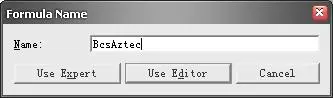
1 Open your Crystal Report. Right-click Formula Fields and select "New..." from the context menu. Name it "Aztec1".

Aztec Code create formula crystal reports

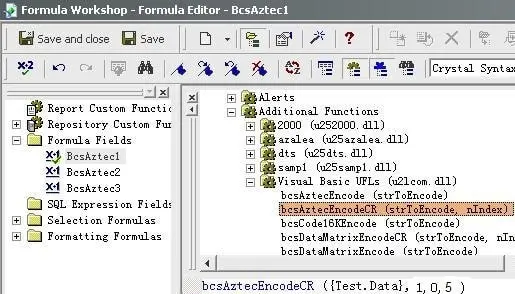
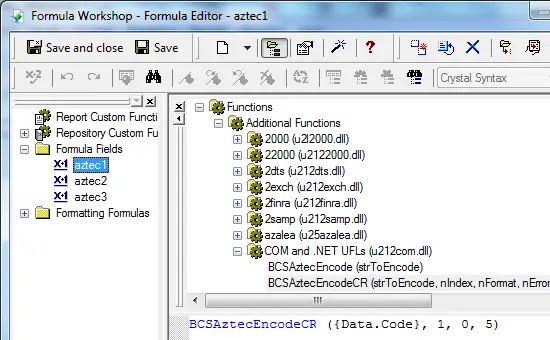
2 Navigate to Functions List → Additional Functions → COM and .NET UFLs (u212com.dll) → Visual Basic UFLs. Double-click the BCSAztecEncodeCR function.

Aztec Code crystal reports UFL

Pro Tip: Crystal Reports has a 254-character limit for formula fields. For larger codes, use multiple formula fields and determine the count using: BCSAztecFormulaNoForCR({Test.Data})

3 Input your database field as the parameter and save the formula.

Aztec Code crystal reports formula fields

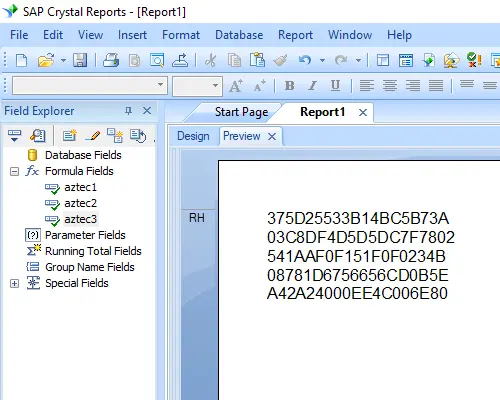
4 Insert a text object into your report. Drag and drop all Aztec Code formula fields into the object in sequential order.

Aztec Code crystal reports formula field

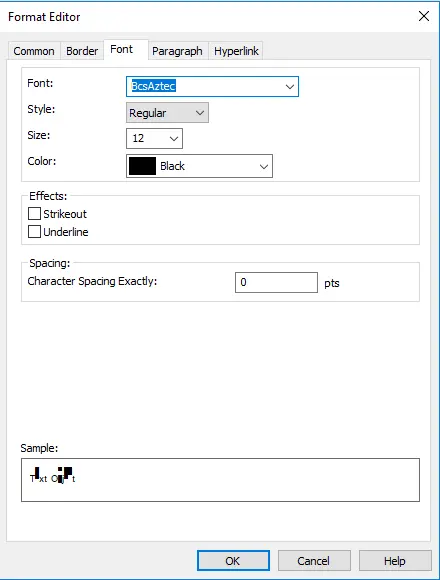
5 Right-click the text object, choose Format Field, and set the typeface to "BcsAztec".

Aztec Code crystal reports formula field

6 Finalize by clicking OK. Your Aztec Code barcode will now render in the report.

Aztec Code crystal reports